
To host your own LLM, choose an open-weight model (such as Llama, Mistral, or Qwen), launch a GPU instance on AWS or Azure with enough VRAM, install an inference engine like vLLM or Ollama, and expose it through a private, secured API endpoint. A self-hosted LLM gives you full data control and predictable costs at scale.
A self-hosted LLM is a large language model that runs on infrastructure you control, instead of being accessed through a third-party API like OpenAI. You download the model weights, run them on your own cloud servers or on-premise hardware, and serve responses through your own endpoint.
There are three common ways to host one:
| Option | Where it runs | Best for |
|---|---|---|
| Cloud self-hosted LLM | GPU instances on AWS or Azure | Most businesses: scalable, no hardware to buy |
| On-premise LLM | Your own data center servers | Strict compliance or air-gapped environments |
| Local LLM | A personal computer or workstation | Testing, prototyping, individual developers |
This guide focuses on the cloud option, since it offers the best balance of control, speed, and cost for growing teams.
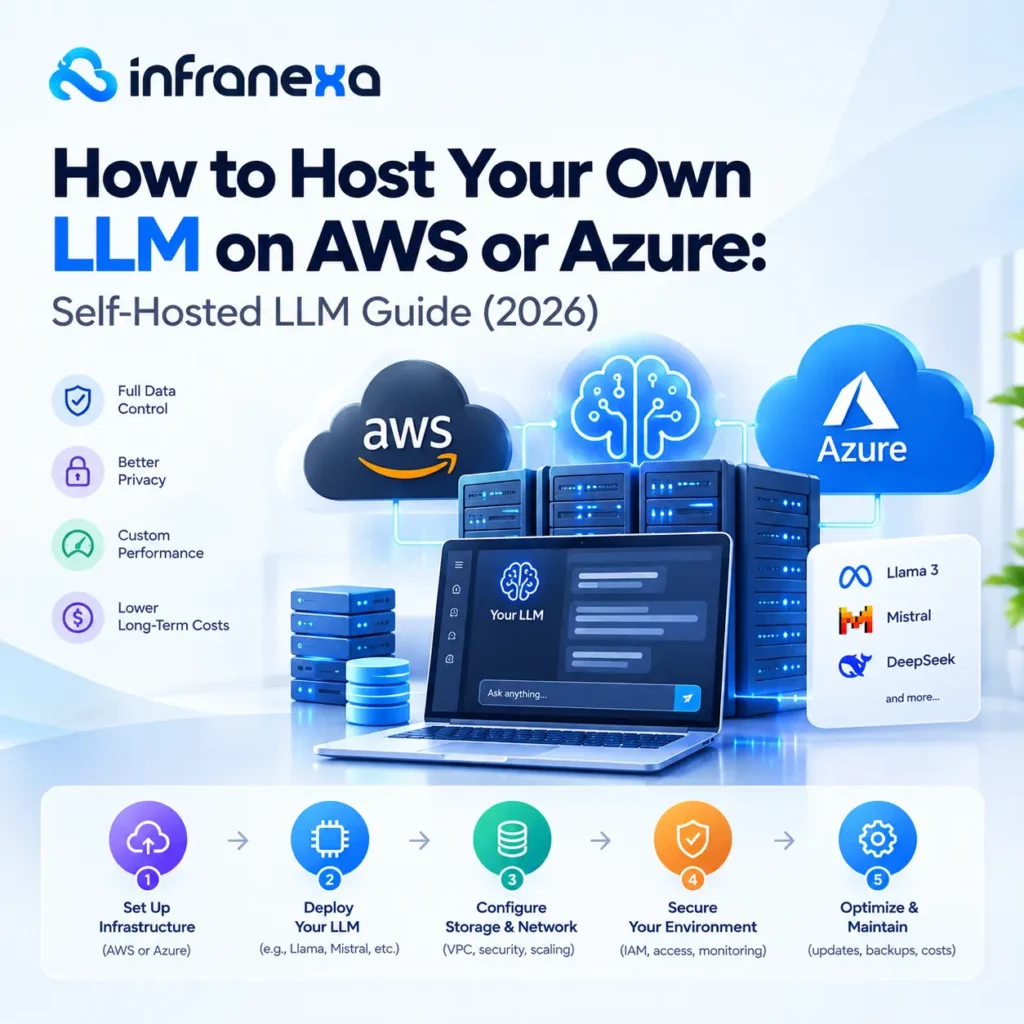
Companies are moving toward private LLM setups for four main reasons:
Every self-hosted LLM setup has three core parts.
Popular choices include Llama, Mistral, Qwen, DeepSeek, and Gemma, most of which are available on Hugging Face. Always check the license before commercial use, since terms vary between model families.
VRAM (GPU memory) is the main limit on which models you can run. A simple rule of thumb:
Quantization formats like GGUF, AWQ, and GPTQ shrink a model’s memory footprint with only a small quality trade-off.
LLM inference is the process of running a trained model to generate responses. An inference engine turns your model into a working LLM server.
| Inference engine | Strength | Best for |
|---|---|---|
| vLLM | High throughput, OpenAI-compatible API | Production workloads |
| Ollama | Very simple setup | Development and small teams |
| Hugging Face TGI | Tight Hugging Face integration | Teams already using Hugging Face |
| NVIDIA Triton / TensorRT-LLM | Maximum GPU performance | High-scale, latency-sensitive apps |
The best self-hosted LLM depends on your use case and budget:
Start with the smallest model that meets your quality bar. Then move up only if testing shows you need to.
AWS gives you three paths, from fully managed to full control.
This is the most flexible way to self-host.
pip install vllm

vllm serve meta-llama/Llama-3.1-8B-Instruct --port 8000SageMaker deploys open-source models to managed inference endpoints with built-in scaling. You give up some flexibility, but the operations work is much lighter.
Bedrock offers hosted foundation models, and its Custom Model Import feature supports some open-weight models. It’s the easiest option, but it’s not truly self-hosted, so you have less control over infrastructure and costs.
For containerized, multi-model setups, many teams run vLLM on Amazon EKS (Kubernetes) with GPU node pools.
Azure follows a similar pattern:
LLM costs depend on four factors: GPU instance type, hours of uptime, traffic volume, and engineering time.
| Approach | Pricing model | Cost-effective when |
|---|---|---|
| LLM API (OpenAI, etc.) | Pay per token | Usage is low or unpredictable |
| Managed (Bedrock, SageMaker) | Per token or per instance hour | You want less operational work |
| Self-hosted on EC2 or Azure VMs | Per GPU hour | Usage is high and steady |
To estimate your break-even point, compare your monthly LLM token cost on an API with the monthly price of a GPU instance running 24/7. Spot instances and reserved capacity can cut GPU costs significantly for suitable workloads.
Launch an EC2 GPU instance, such as G5 or G6, using a Deep Learning AMI. Then install vLLM, load an open-weight model from Hugging Face, and expose it through a secured API inside a private VPC.
It can be, at high and steady usage. For low or irregular traffic, pay-per-token APIs are usually cheaper because you don’t pay for idle GPU time.
A 24 GB GPU (A10G or L4) handles most 7B to 14B models. Models with 70B parameters need about 40 GB at 4-bit quantization, or multiple GPUs at full precision.
Choose Bedrock for speed and minimal operations. Choose self-hosting for full data control, custom fine-tuning, and lower costs at scale.
Yes. A self-hosted LLM keeps all prompts and outputs inside your own cloud account or on-premise servers.
Yes. A self-hosted LLM keeps all prompts and outputs inside your own cloud account or on-premise servers.
Setting up GPUs, inference servers, security, and autoscaling takes real DevOps expertise. Infranexa’s managed DevOps services help startups and growing businesses deploy and run private LLMs on AWS and Azure, without hiring a full in-house team.